Splash page appearance

Ration

Pantry · Meals · Shopping · Macros

Most kitchen apps do one job.Ration runs the week.

What you have, what you can cook, what to buy, and — if you want it — calories and macros from the meals you actually cooked. On iPhone, on the web, or inside Claude and ChatGPT.

See how the loop works
Watch the 90-second tour

Bought it twice

Check Cargo before you shop, wherever you are.

Expired in the drawer

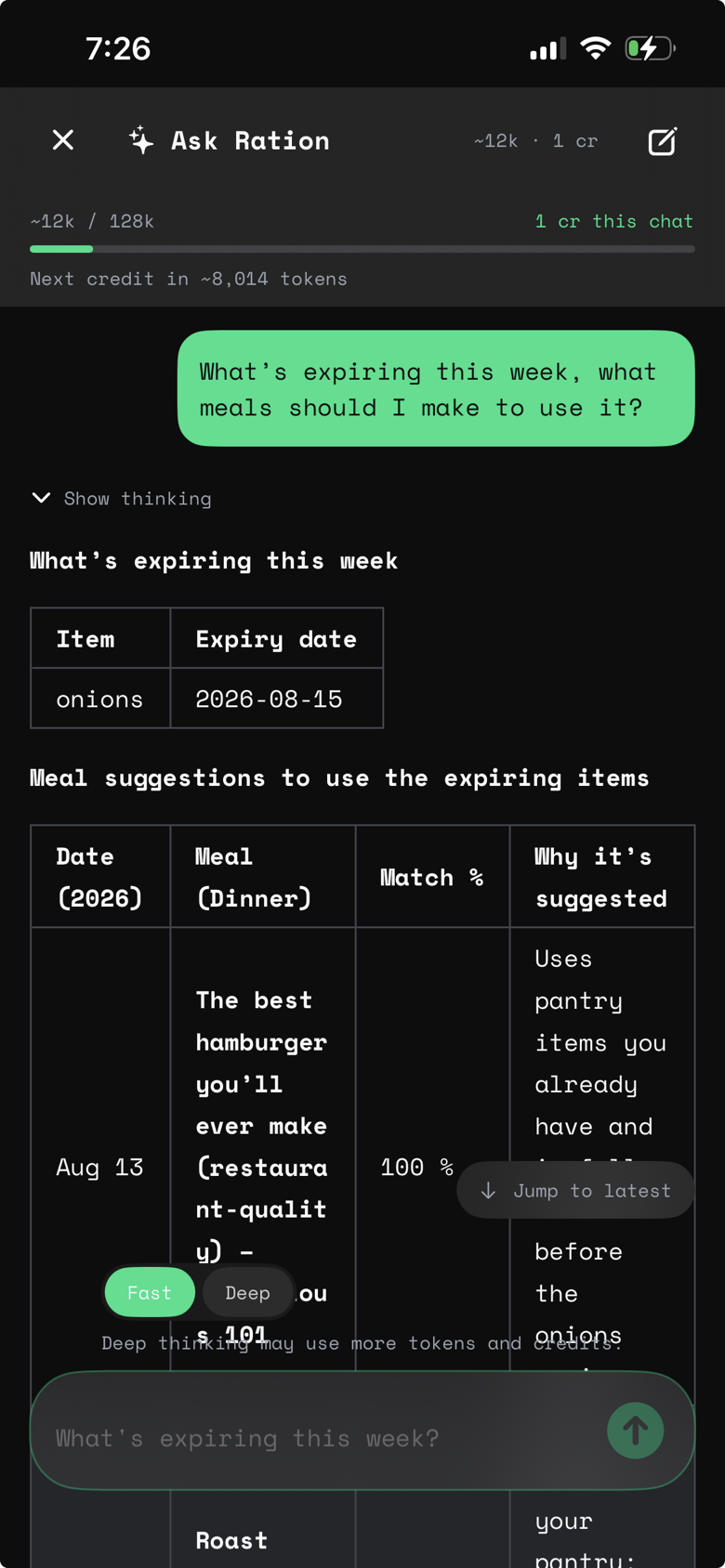
See what expires next and find meals that use it.

Pantry in one app. Macros in another.

Log the meal you cooked. Daily Fuel updates from the same plate.

How it works

One loop: Cargo → Galley → Manifest → Supply → Dock

Cook a meal and stock deducts. Log your serving and Daily Fuel updates privately. Buy groceries and Cargo updates. Nothing is retyped.

18 items ready · 3 expiring soonShared kitchen
01

Cargo

Know what you have.

Track quantity and expiry in one live inventory.

18 items ready · 3 expiring soonShared kitchen

Scroll to the next stage

02

Galley

See what you can cook.

Match recipes against the food already at home.

6 meals available nowShared kitchen

Scroll to the next stage

03

Manifest

Plan the week.

Schedule meals around your time and real stock.

5 dinners plannedDaily Fuel · only you

Scroll to the next stage

04

Supply

Buy only the gaps.

Turn missing ingredients into one shopping list.

11 missing items consolidatedShared kitchen

Scroll to the next stage

05

Dock

Close the loop.

Add purchases to Cargo and deduct what you cook. Log your serving if you are tracking — that stays private.

Cargo updated · serving logged privatelyDaily Fuel · only you

Daily Fuel

Cook for the house. Log your plate.

Household stock comes off the shelf when you cook. Calories and macros update only if you log your serving — and they stay private, even when the kitchen is shared. A planning aid, not medical advice.

From lemon chicken + yogurt bowls
ProteinProtein
CarbsCarbs
FatFat

1,240 of 2,000 calories. Protein 96 grams, carbs 118 grams, fat 41 grams.

  1. CookShared. Deducts Cargo for everyone.
  2. Log my servingPrivate. Writes only your Daily Fuel.
  3. HousematesThey see Prepared. They never see your kcal.

More than one kitchen

Home, a sharehouse, a second place you cook.

Switch kitchens when you walk in the door. Pantry, recipes, plan, and shopping list stay in sync for that kitchen. Credits sit on the kitchen. Your Daily Fuel stays yours. Free includes one owned kitchen; Crew Member unlocks invites and up to five.

Kitchens

Home

Family kitchen

  • Chicken thigh
  • Greek yogurt
  • Baby spinach

Use Ration your way

The full kitchen, wherever you are.

Your inventory, meals, plans, shopping list, and private Daily Fuel stay in sync on iPhone and the web. Bring your own AI when you want it.

01 · Priority access

iOS + Copilot

The full kitchen in your pocket.

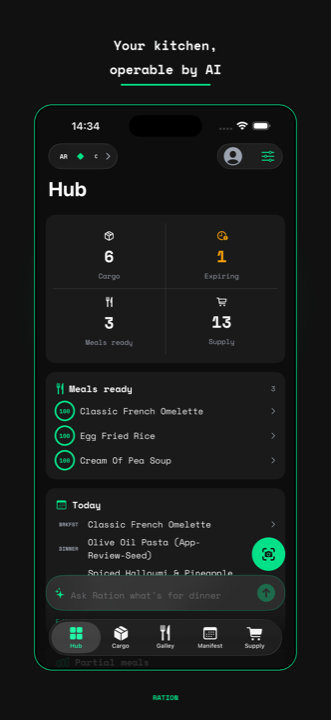
Ask Ration what to cook and get an answer from your actual stock. Scan receipts, save a recipe from social, plan the week, shop the gaps, and log your plate while you move.

Download on the App Store
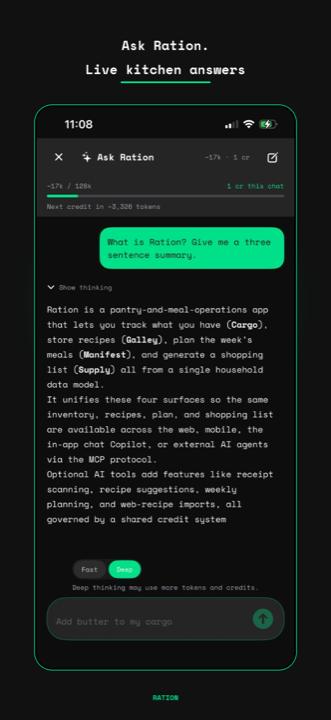
Ration kitchen Hub on iPhoneAsk Ration Copilot on iPhone
02 · Browser access

Web + Copilot

Your kitchen, on any screen.

Everything also runs at ration.mayutic.com — the same data and the same Ask Ration assistant, with nothing to install.

Start free on the web
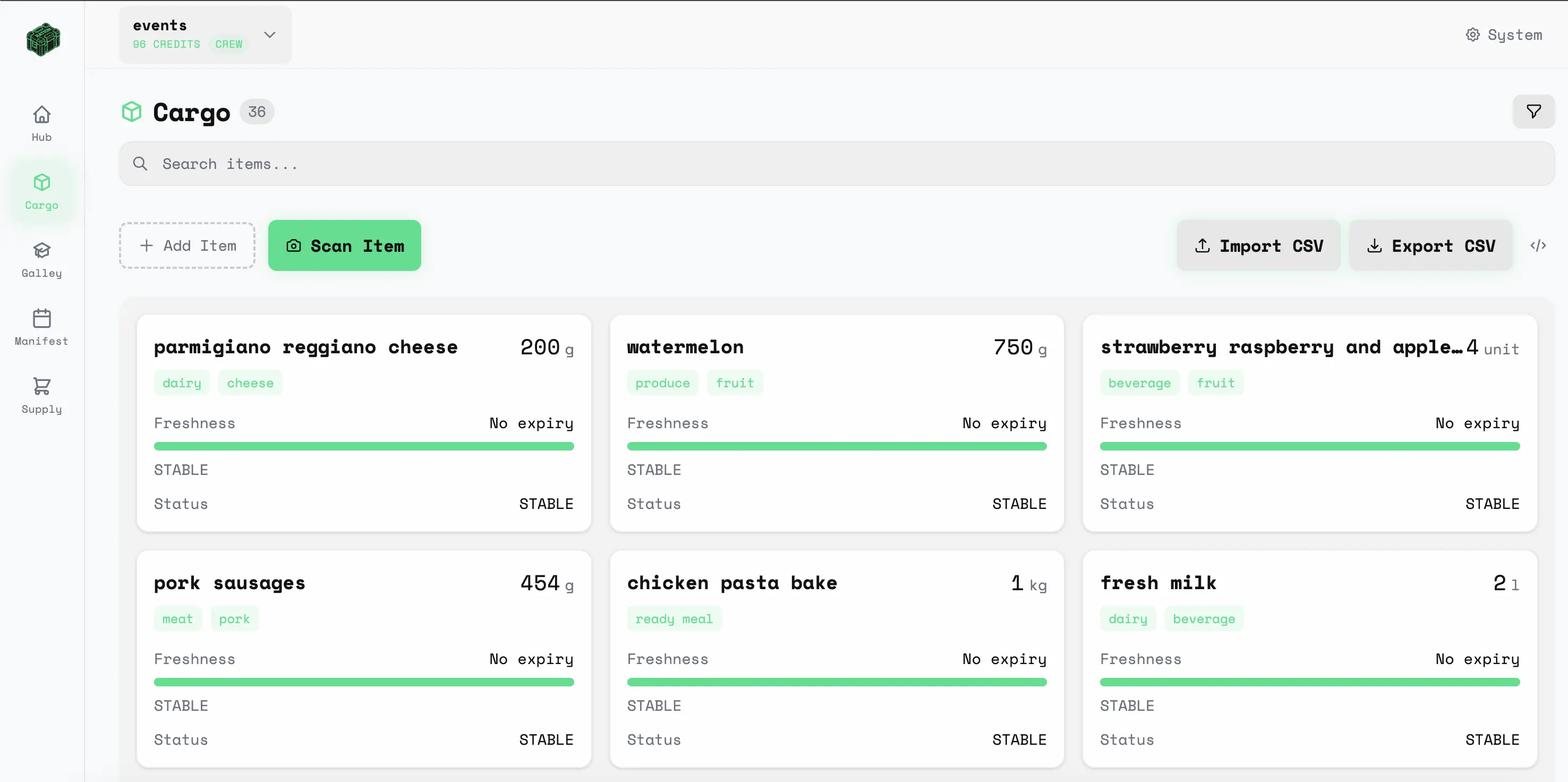
Ration Cargo inventory in the web app
03 · Agent access

MCP

Bring your own AI.

Paste one URL into Claude, ChatGPT, Cursor, or any compatible client. Your agent reads and updates the same kitchen.

Connect an AI agent

01 get_expiring_items

02 match_meals

03 get_nutrition_summary

One live kitchen · OAuth 2.1

Real kitchen work

See what changes when your pantry and your plate stay current.

Ingredient-aware matchingFinds the same food even when the wording differs.
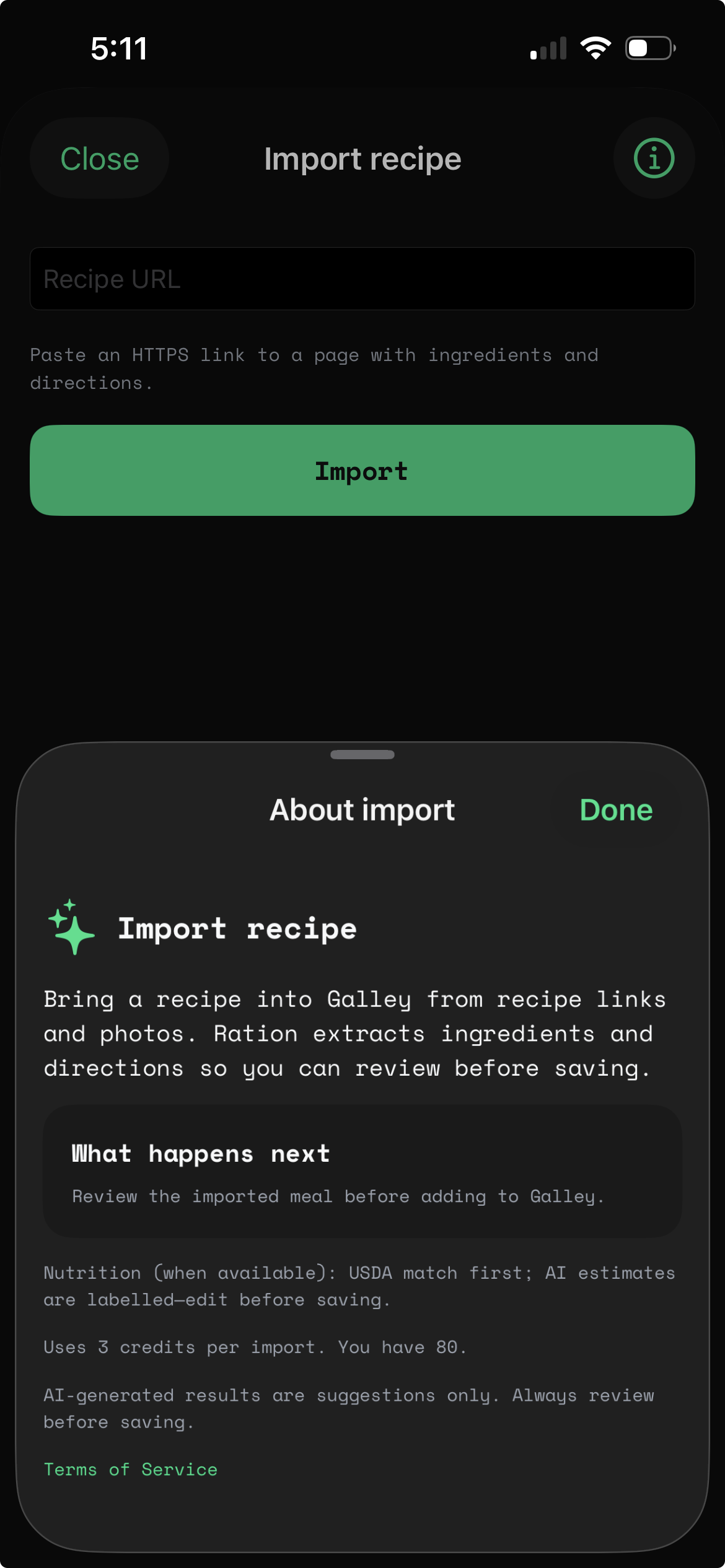
Fast intakeAdd food from a photo, receipt, recipe URL, or by hand.
More than one kitchenHome, a sharehouse, a second place — switch when you walk in.
Private Daily FuelCook for the house. Your calories and macros stay yours.
Import a recipe from a shared video into Ration Galley

Save recipes from TikTok, Reels, and the web
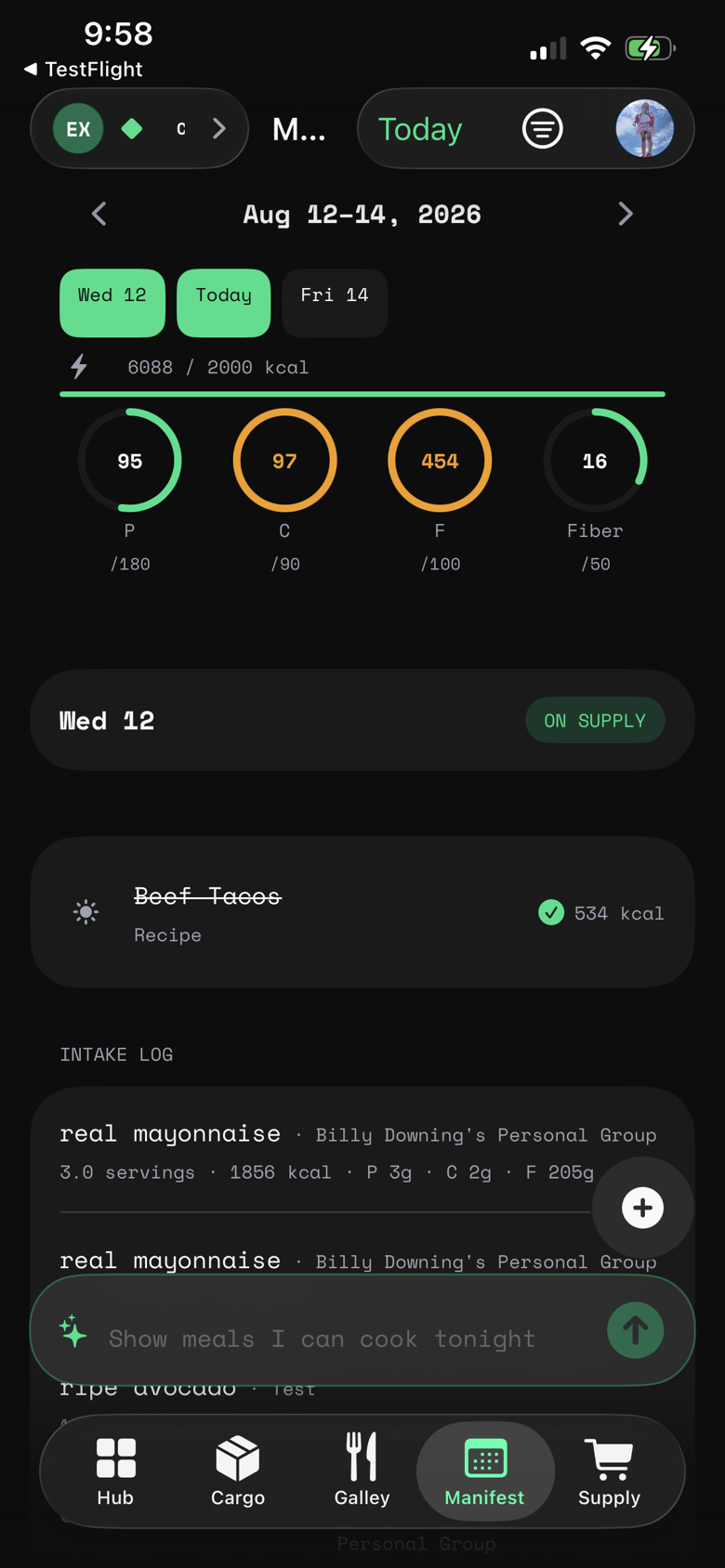
Ration Manifest meal planner with calorie and macro tracking on iPhone

Meal planner and macro tracker

Ask Ration Copilot answering from live kitchen stock

Your kitchen copilot, on live stock

Show prices in
Display currency

Pricing

Start free. Add Crew when the kitchen becomes shared.

AI features use credits on both tiers. New human accounts start with 12 free credits. Crew Member unlocks household groups, unlimited capacity, credit transfers, and 1 free Ask Ration conversation per group per day.

EUR prices include VAT where applicable. US list prices match the App Store; sales tax may be added at checkout.

Free

The full lifecycle for a personal kitchen.

  • 35 Cargo items
  • 15 meals in Galley
  • 3 Supply lists
  • 12 welcome credits for new human accounts
  • AI credits available as one-time packs
  • AI agent access (autonomous MCP registration + OAuth)
Get started free

Crew Member

€12/year or €2/month. Built for households and shared kitchens.

  • Unlimited Cargo, Galley, and Supply capacity
  • Up to 5 owned groups
  • Member invites and shared household data
  • Manifest and Supply sharing links
  • 1 free Ask Ration (Copilot) conversation per group per day
  • Buy credit packs as needed for AI features
Start Crew Member

Credit Packs

Power scans, recipe import, meal generation, and weekly planning.

Taste Test
€1
12 credits · ~6 scans or generations
Supply Run
€5
65 credits · ~32 scans or generations
Mission Crate
€10
165 credits · ~82 scans or generations
Orbital Stockpile
€25
550 credits · ~275 scans or generations
View feature comparison
FeatureFreeCrew
Cargo
Cargo items35Unlimited
Manual item entryCheckCheck
CSV/TSV bulk importCheckCheck
Expiry alerts & domain filtersCheckCheck
Semantic search & smart filtersCheckCheck
Galley
Meals & provisions15Unlimited
Match Mode (vector matching)CheckCheck
Promote Cargo to provisionsCheckCheck
Manifest
Weekly meal calendarCheckCheck
Consume & auto-deductCheckCheck
Daily Fuel from meals you cookCheckCheck
Personal calorie and macro goalsCheckCheck
Private log in a shared kitchenCheckCheck
Share manifest via linkCheck
Supply
Supply lists3Unlimited
Auto-generate from Galley & ManifestCheckCheck
Dock Cargo (list → inventory)CheckCheck
Export (text, markdown, CSV)CheckCheck
Share via public linkCheck
AI (via credits)
Photo & receipt scanningCheckCheck
Meal import via URLCheckCheck
AI meal generationCheckCheck
AI weekly meal planningCheckCheck
Ask Ration (Copilot)
Free conversations1 free chat / group / day
Credit-billed Copilot chatsCheckCheck
Collaboration
Owned kitchens15
Member invitesCheck
Shared Cargo & GalleyCheck
Credit transfer between groupsCheck
Credits
Purchase credit packsCheckCheck
12 welcome credits (new human accounts)CheckCheck
Integrations
REST API (inventory, galley, supply)CheckCheck
MCP Server (OAuth agent access)CheckCheck
FAQ

Common questions

Direct answers about the app, macros, multiple kitchens, pricing, Copilot, and agent access.

What is Ration?
Ration is one live kitchen loop. Cargo is your pantry, Galley is the recipes you actually cook, Manifest is the week, and Supply is a shopping list of only the gaps. When you cook, stock comes off the shelf. When you log your serving, calories and macros update from the same meal — privately, even in a shared kitchen. Use it on iPhone, on the web, or through Copilot and MCP.
Does Ration track calories and macros?
Yes, if you want it. Set personal calorie and macro goals, then log the serving you ate when you cook. Daily Fuel and weekly trends show how those meals landed. Cook is shared household work; your intake log stays private. Macros are a planning aid, not medical advice, and you never have to log a serving to use the rest of the kitchen.
Can I run more than one kitchen?
Yes. Create a kitchen for home, another for a sharehouse or a second place you cook, and switch when you walk in the door. Pantry, recipes, plan, and shopping list stay in sync for that kitchen. Credits sit on the kitchen, not on one person's phone. Your calorie and macro log stays private. Free includes one owned kitchen; Crew Member raises that cap and unlocks invites.
Is Ration free?
Yes. The Free tier supports up to 35 pantry items, 15 recipes, and 3 supply lists with no credit card required. New human accounts receive 12 welcome credits automatically. Agents can autonomously self-register via MCP on the same tier (without welcome credits). The Crew Member tier (€2/month or €12/year) removes capacity limits, enables group sharing and member invitations, and includes 1 free Ask Ration (Copilot) conversation per group per day.
What is Cargo, Galley, Manifest, and Supply?
Cargo is live pantry inventory. Galley is the recipe library. Manifest is the weekly meal plan. Supply is the shopping list, and Dock moves purchased items back into Cargo. Cooking deducts ingredients, so the full loop stays current for people, Copilot, and MCP-connected assistants. Daily Fuel is the optional personal overlay on that same meal.
How does Ration work with AI assistants?
Use Ration Copilot inside the app, or add https://mcp.ration.mayutic.com/mcp to Claude, Cursor, ChatGPT, Zed, or another MCP-compatible client. Copilot and MCP operate the same live pantry, recipes, meal plan, shopping list, and — when you log Daily Fuel — your personal nutrition summary. MCP access uses browser OAuth with scoped, revocable permissions; autonomous agents can also self-register through auth.md.
How do I connect Claude or Cursor?
Paste https://mcp.ration.mayutic.com/mcp into your MCP client settings for OAuth browser sign-in, or point autonomous agents at /auth.md to self-provision a kitchen. Select your household and authorize scopes for OAuth; claim ownership later when a human is ready. Manage grants in Hub → Settings → Connected Agents.
Where is my data stored?
Your data is stored in Cloudflare D1 (SQLite at the edge), Cloudflare R2 (for images), and Cloudflare Vectorize (for semantic search embeddings). Kitchen data is scoped to your group. Personal calorie and macro logs stay on your account — housemates never see them.
Can I export my data?
Yes. Every Ration account can export full inventory, recipes, supply lists, and meal plans as JSON or CSV from the dashboard or via the v1 REST API.
What is Ration Copilot?
Ration Copilot (Ask Ration) is the built-in AI kitchen assistant for web and iOS. It answers questions from your live household context and can help inspect pantry stock, find meals, build plans, and keep shopping aligned. Free-tier chats use credits. Crew Member households get 1 free conversation per group per day, then further chats use the shared credit pool. MCP provides the same structured kitchen context to external AI clients.
Is there a Ration iOS app?
Yes. Ration for iOS is available on the App Store as Ration: Meal & Macro Planner. It brings Cargo, Galley, Manifest, Supply, Daily Fuel, household sync, and Ration Copilot to iPhone — the same kitchen as the web app. Get it from the App Store via Get the app on the home page.
Mission Log

Latest from the blog

Guides, workflows, and field notes for running a kitchen that remembers.

All posts →

Begin

Start a kitchen in two minutes.

Create an account for the web app, or get Ration on iPhone. When you want an external agent, connect Claude, ChatGPT, or Cursor from /connect.

Data & Privacy

Ration uses secure authentication and accesses only the profile data needed for your account. Your Cargo, Galley, Manifest, and Supply data stay scoped to your groups. We never sell your personal information.

Create Account

Enter your email to get started

or continue with

Used Apple in the app (including Hide My Email)? Continue with Apple and the same Apple ID — magic link or Google with another email will not open that account.